Software and SaaS
A helpdesk for your product: users answered, tickets resolved, bugs escalated.
Most tickets are how-to questions your docs already answer. Helpium answers them at once, checks the user's account when it needs to, and hands your team only the cases that need an engineer, with everything the user already said.
What they ask you every day
How do I, asked fifty times a week
Your docs already answer it, but nobody reads them before writing. Helpium answers from your docs at once, with the exact steps and a link to the article.
Tickets in email, chat and DMs, in different places
Support email in one tab, website chat in another, a DM nobody saw. Helpium brings them into one inbox with one queue.
Tier-one support eating engineering time
Every how-to question that reaches an engineer costs a context switch. Helpium resolves the routine and escalates only what needs a person.
Users repeating themselves after every handoff
When a case goes to your team, the whole thread goes with it: what the user tried, what Helpium checked, what it answered.
How Helpium handles it
- 1
The user writes from your app, your site or email
Website chat, support inbox or a DM. Everything lands in the same queue.
- 2
Helpium answers from your docs and your API
It finds the right article, checks the account when the answer depends on it, and replies with the exact steps.
- 3
It resolves or escalates, never guesses
If the docs and the data do not cover it, it says so and hands the case to your team with the full thread.
- 4
Your team works the ticket with SLAs, notes and assignment
Assign it, leave internal notes, track first response and resolution time. Nothing waits in a personal inbox.
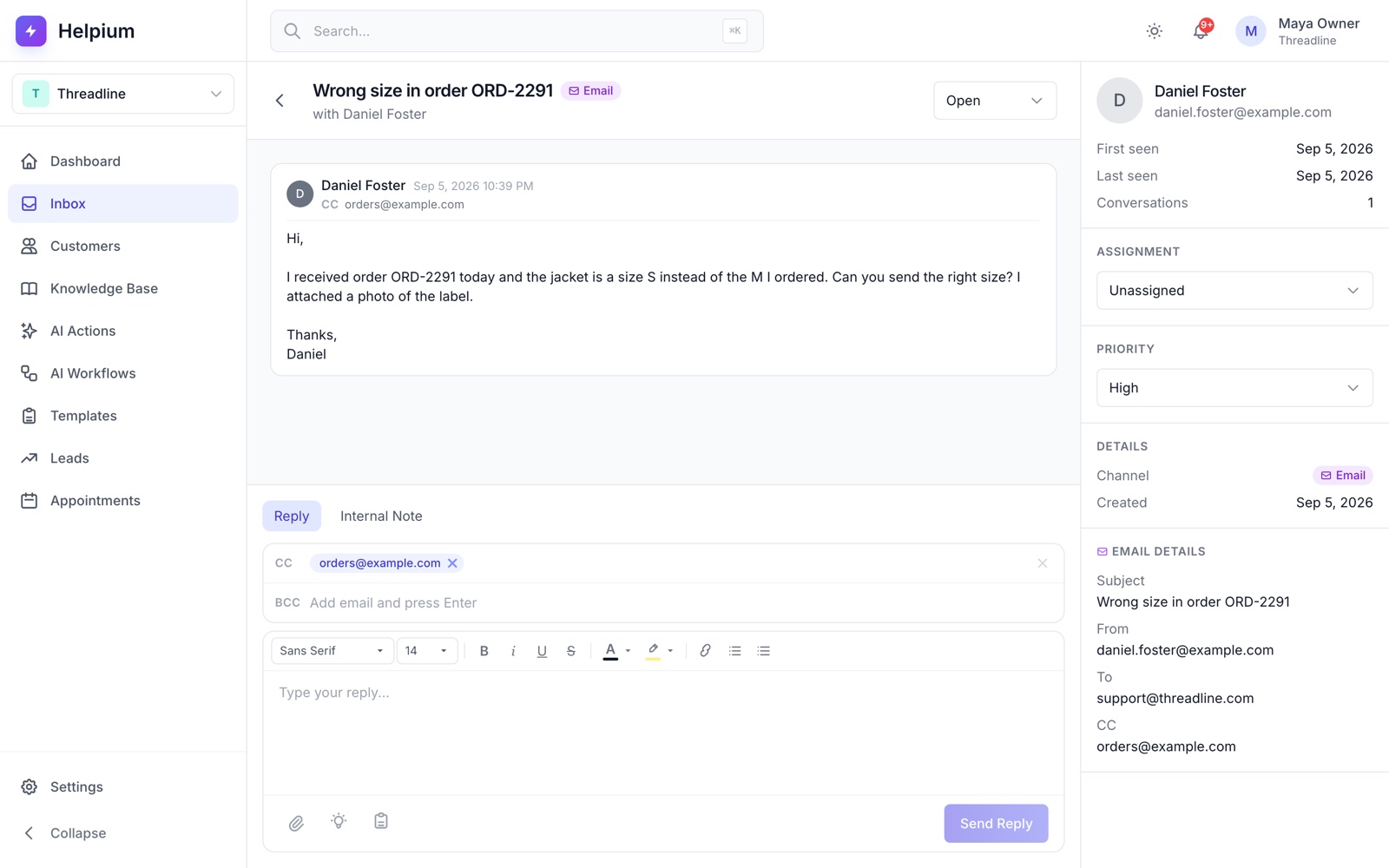
Email support in the same inbox
Connect your support address. Email threads, website chat and DMs share one queue, one AI and one history per user.
Read the guide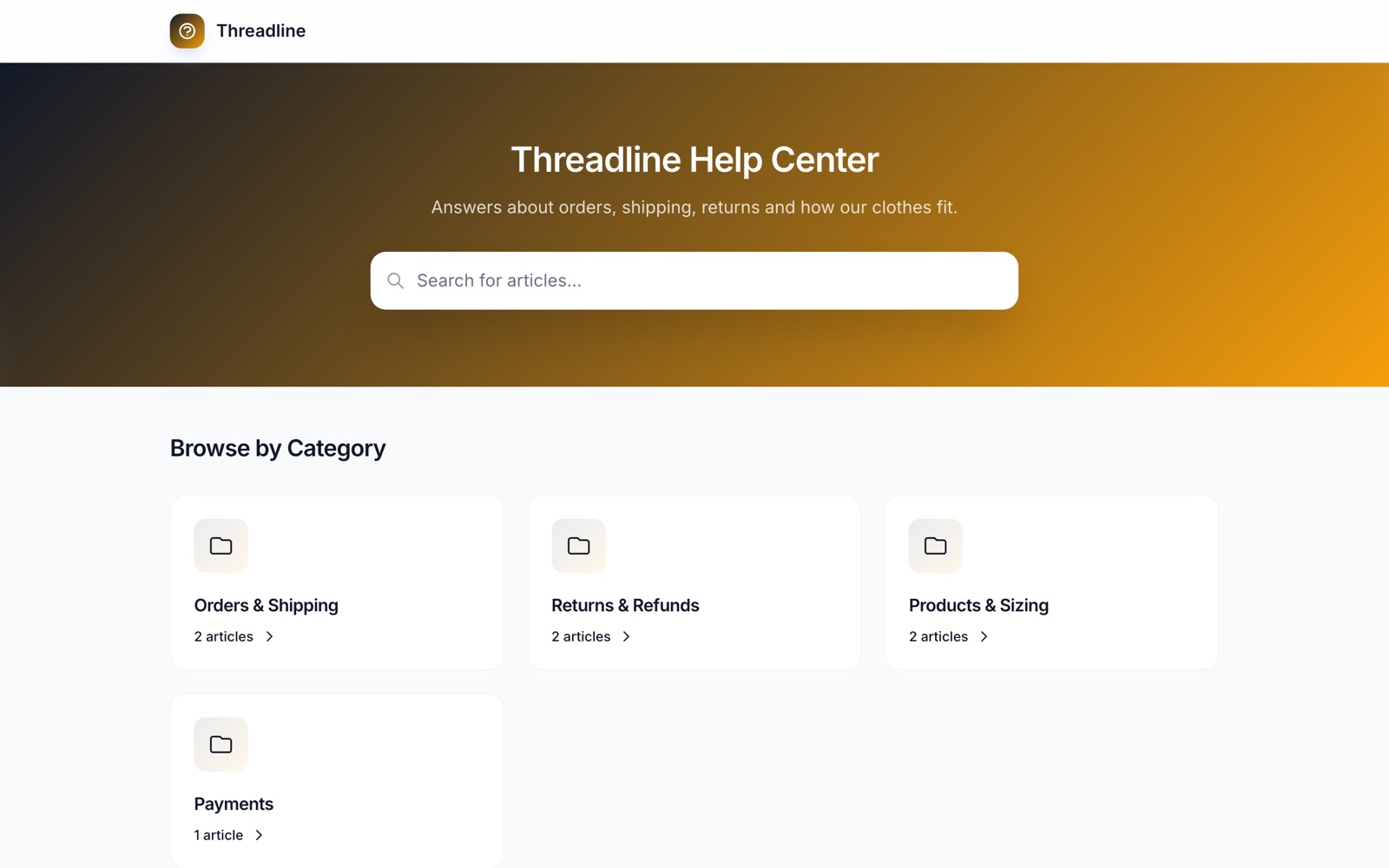
Your docs, answered instantly
Your knowledge base powers both the public help center and the AI. Update an article once and every answer follows.
Read the guide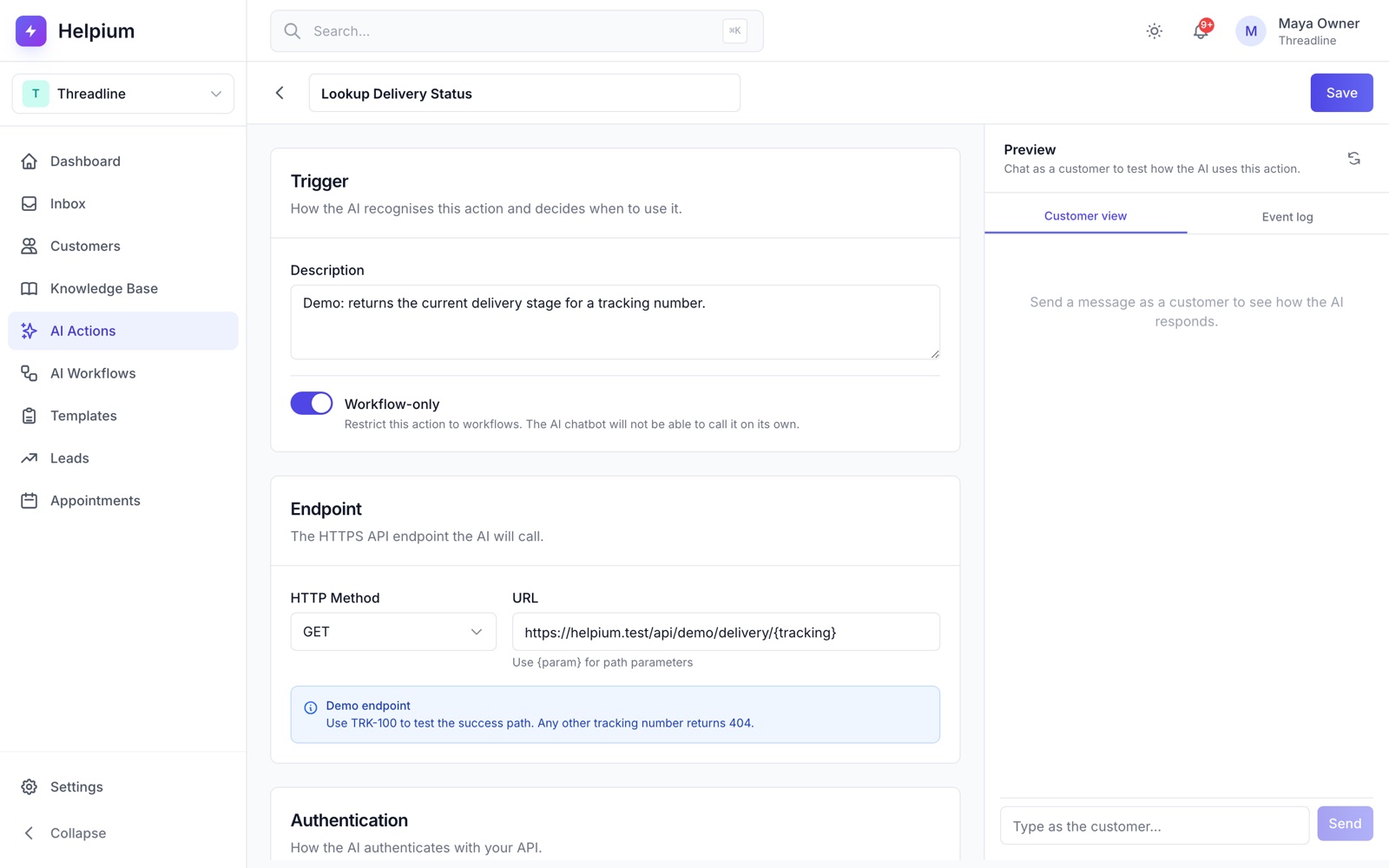
Account lookups through your API
With AI Actions, Helpium calls your endpoints to read the user's plan, status or usage, so the answer matches their account, not a generic FAQ.
Read the guide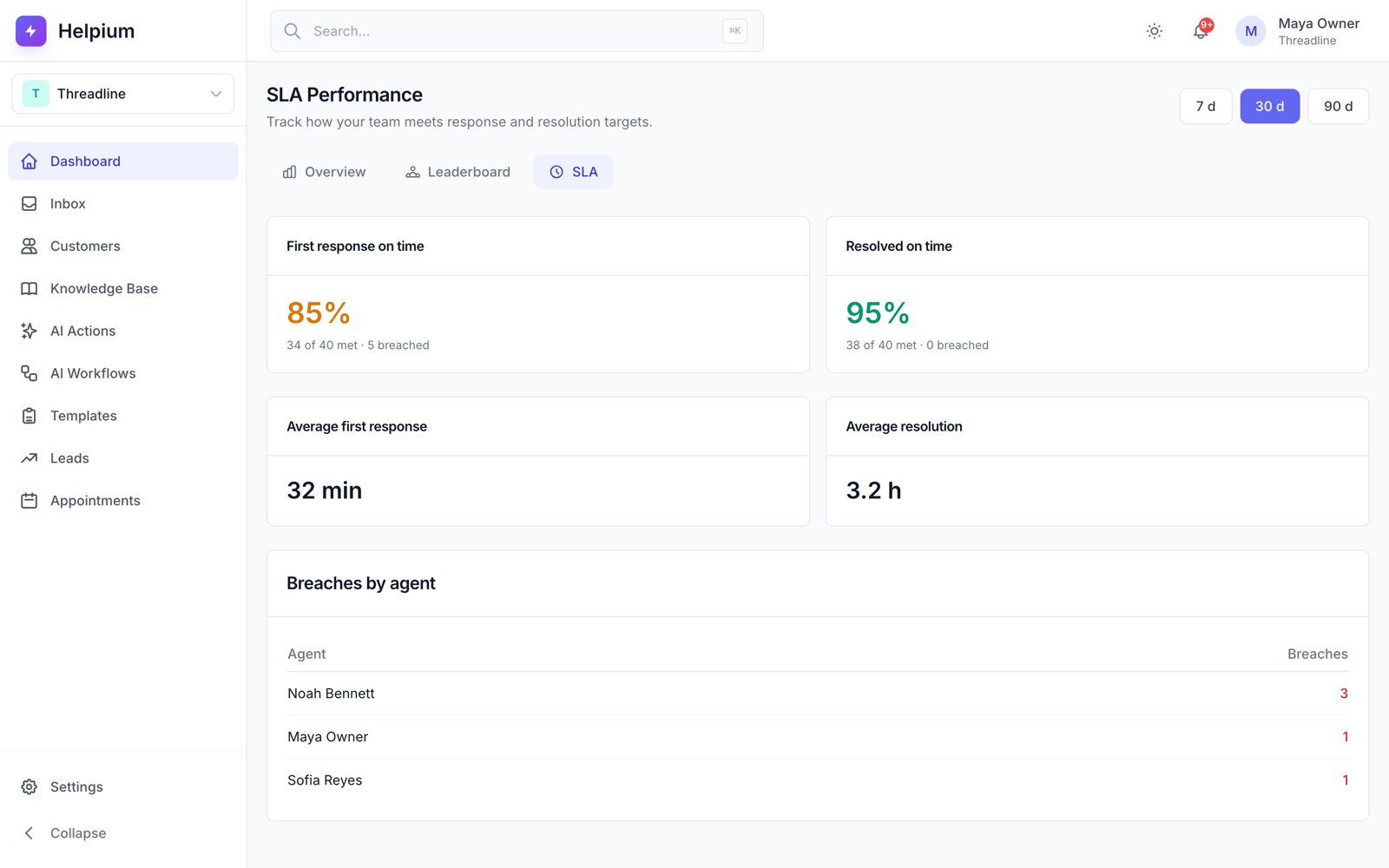
SLAs, internal notes and assignment
Set first response and resolution targets, assign tickets to people or teams, and leave notes for each other inside the thread.
Read the guideCommon questions
Yes. AI Actions call any REST API you expose, with the authentication you choose, so Helpium can check the plan, status or usage of the person writing before it answers.
Helpium does not guess. When the docs and the data do not explain the problem, it tells the user it is passing the case on, leaves an internal note with everything it checked, and assigns the ticket to your team.
Yes. Connect your support address and every email becomes a conversation in the same inbox, with the same AI answering and the same history per user. Replies go out from your address.
Start with the questions you get every day.
Connect your channels, write how you want customers handled, and watch the first conversations resolve on their own.
14-day free trial. No credit card required.